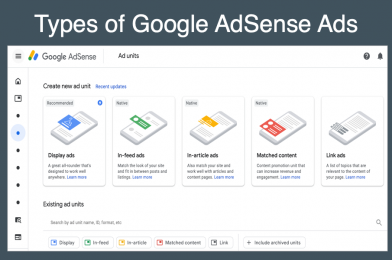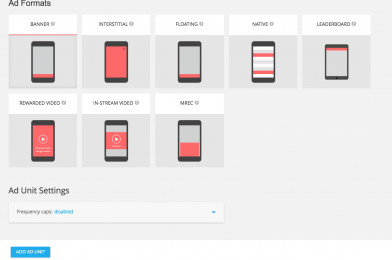
In the middle of Q3 2016, Google lifted its ads per page policy limit. Publishers used to be able to have only 3 ads per page. Now, they can have unlimited AdSense ads on a single page. However, the total number of AdSense ads or third-party ads (such as text, image, rich media, click to download, video, native, and other formats) must not exceed the content. Let’s take a closer look at this policy so that you can determine how many ads you should display for each page of your website.
Old AD Limit Policy Section
On each page AdSense publishers may place:
- Up to three AdSense for content units
- Up to three link units
- Up to two search boxes.
Publishers may not place more than one “large” ad unit per page. We define a “large” ad unit as any unit similar in size to our 300×600 format. For example, this would include our 300×1050 and 970×250 formats, our 750×200 and 580×400 regional formats, and any other custom-sized ad with comparable dimensions.”
New AD Placement Policy
Publishers can now place:
- More than three AdSense for content ad units on a given page.
- More than three Link ad units on a single page.
- More than one large ad unit per page.
Large ad units includes for example 300×600, 300×1050 and 970×250 formats, 750×200 and 580×400 regional formats.
While the limit has been removed, it is essential to maintain the quality of your site and balance between ads and content to achieve a good user experience. Publisher sites should be focused on content rather than ads. Content must be original and should add value. Otherwise, it will violate the Webmaster Quality Guidelines.
The layout of your pages and the length of your article will determine the number of ads to be displayed. Do not put more than 5 ads on pages with short content as this will result in a high bounce rate. Google may also disable ad serving on pages with low-quality content as explicitly mentioned in AdSense Valuable inventory policy.
It’s always a best practice to use a minimum number of ad units on a page and running them on the placements with high viewability. You may consider the following:
– On a desktop device, you can place a maximum of 4-5 ad units such as the header, sidebar top, in-content, a sidebar sticky, and a footer ad unit for a lengthy post like science/education and novel websites.
– For short content like entertainment/image and gaming websites, it is recommended to stick to 3-4 ad units utilizing the header sidebar and bottom placement.
– On a mobile device, you can only run one ad unit above the fold and 1-2 in-content units and an anchor. Always remember that with mobile implementation, you can’t place two or more AdSense ads that may appear on the screen at the same time.
You can check the links below for the best performing ad sizes:
https://support.google.com/adsense/answer/6002621?hl=en
https://support.google.com/adsense/answer/17955?hl=en
Conclusion
Flooding your page with ads will not help increase your ad revenue but most likely results in lower CPMs and CTRs. Advertisers will not invest in placements with poor viewability, either. It’s better to keep your ad inventory valuable and optimize your existing ad placements instead of introducing more ad units. This way, you can discover new best-performing ad formats and maximize your ad revenue through them. This is still the most effective way to increase your ad revenue.